I still remember the first time I walked into Anko in Makati. It wasn’t planned. I was just wandering around the mall when I stumbled upon their newly opened store. Curious, I stepped inside—and within minutes, I was hooked. The shelves were filled with minimalist home items, clean aesthetics, and surprisingly affordable prices. It was the kind of place where you pick up a simple plate and suddenly imagine redesigning your entire kitchen.
One item turned into five, and five somehow turned into a small shopping spree. By the time I left the store, I was carrying several plastic bags and—somehow—a nightstand. Walking out of the store, I remember thinking that this brand had something special. It felt modern, accessible, and thoughtfully designed.
A few months later, I moved into my new place and realized I needed a few home essentials—plates, kitchen tools, and some storage containers. Naturally, my mind went straight back to Anko. Perfect, I thought. I’ll just order them online.
So I opened my laptop and searched for their website. But to my surprise… there was nothing. No online store. No digital catalog. No way to browse their products online. I stared at the screen wondering how a brand with such great physical products could have almost no digital presence.
In a world where product discovery often starts online, how does a retail brand grow without a catalog people can browse?
Statement of the Problem
As a customer—and honestly, as a fan of the brand—I found this frustrating. I wanted to see the plates I bought before. I wanted to check their kitchen items again. But outside the physical store, there was no way to explore their products.
I searched across the internet hoping someone had compiled a catalog. But there were only scattered photos from social media and a few random posts mentioning the brand. No official list of products. No descriptions. No prices.
In today’s digital-first world, it felt like a huge missed opportunity.
Brands like IKEA have shown how powerful a well-designed product catalog can be. Their catalogs are not just shopping tools—they are discovery experiences that inspire customers even before they step inside a store.
So the designer in me started thinking. What if Anko had a mobile catalog experience? What would it look like? And more interestingly…
Could AI help me prototype it faster than traditional design workflows?
Using ChatGPT for Building the Idea
Around the same time, I had been experimenting with the combination of ChatGPT and Figma’s emerging feature called Figma Make. Ever since Figma introduced Make, I found myself fascinated by how quickly prototypes could be generated. I had already tested it in some work scenarios, but this felt like the perfect personal experiment.
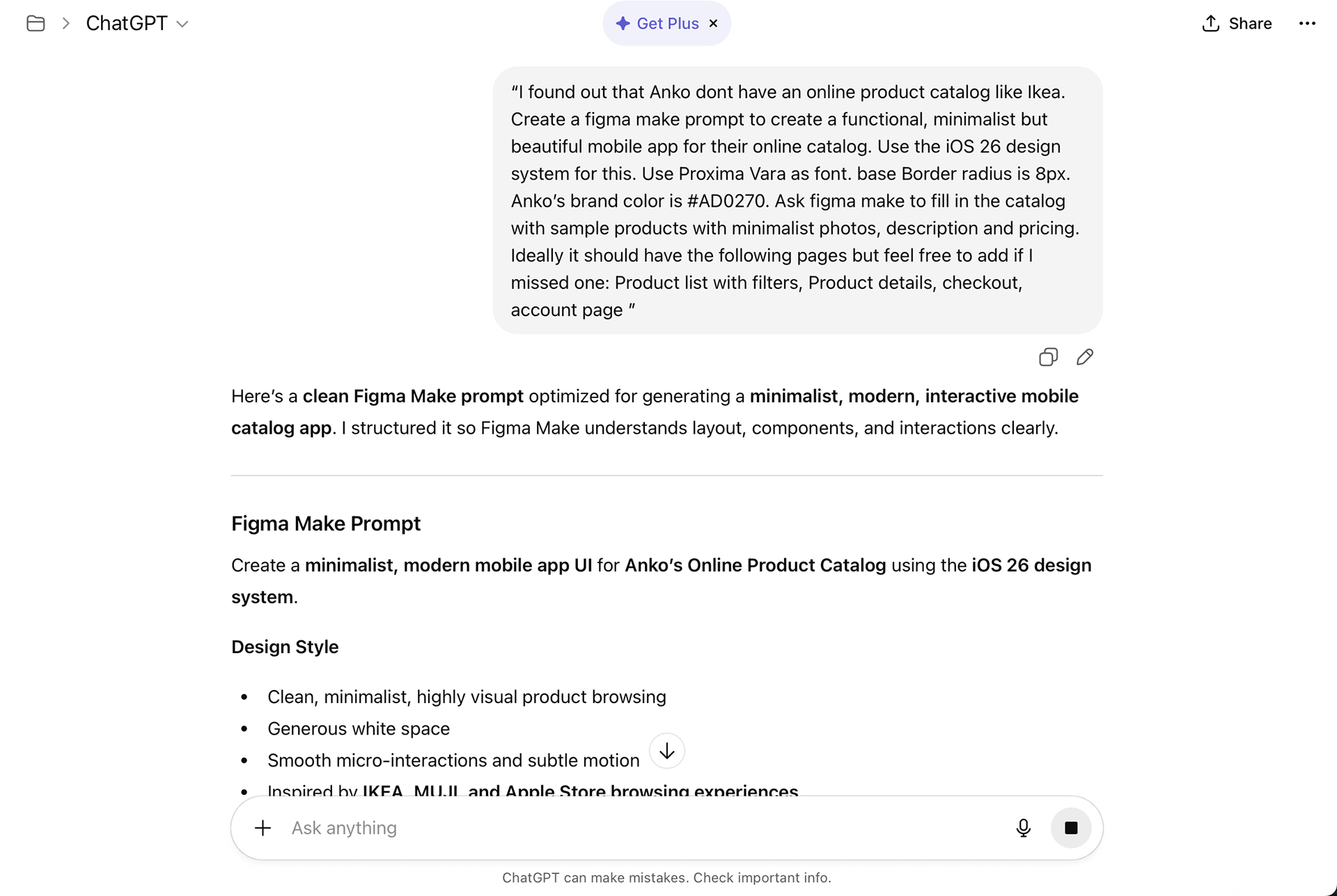
So one afternoon, I decided to try building an Anko mobile catalog concept. But instead of jumping directly into Figma, I started with ChatGPT. I asked it to generate a Figma Make prompt that would guide the design.
My instruction looked something like this:
“I found out that Anko doesn’t have an online product catalog like Ikea. Create a Figma Make prompt to design a functional, minimalist but beautiful mobile app for their online catalog. Use the iOS 26 design system. Use Proxima Vara as font. Base border radius is 8px. Anko’s brand color is #AD0270. Ask Figma Make to fill the catalog with sample products with minimalist photos, descriptions, and pricing.”
I expected ChatGPT to simply return a single polished prompt. Instead, it gave me a surprisingly thoughtful response.
It suggested that instead of giving Figma Make one massive instruction, I should guide it step by step. The idea was to prompt the tool the same way a designer structures a project—first define the design system, then generate components, and finally build the screens.
It explained that this screen-by-screen prompting technique usually produces cleaner outputs because the AI builds the interface progressively instead of trying to solve everything in one go. That advice made me pause. Was I treating AI like a shortcut when I should be treating it like a design collaborator?
Running the Prompt in Figma Make
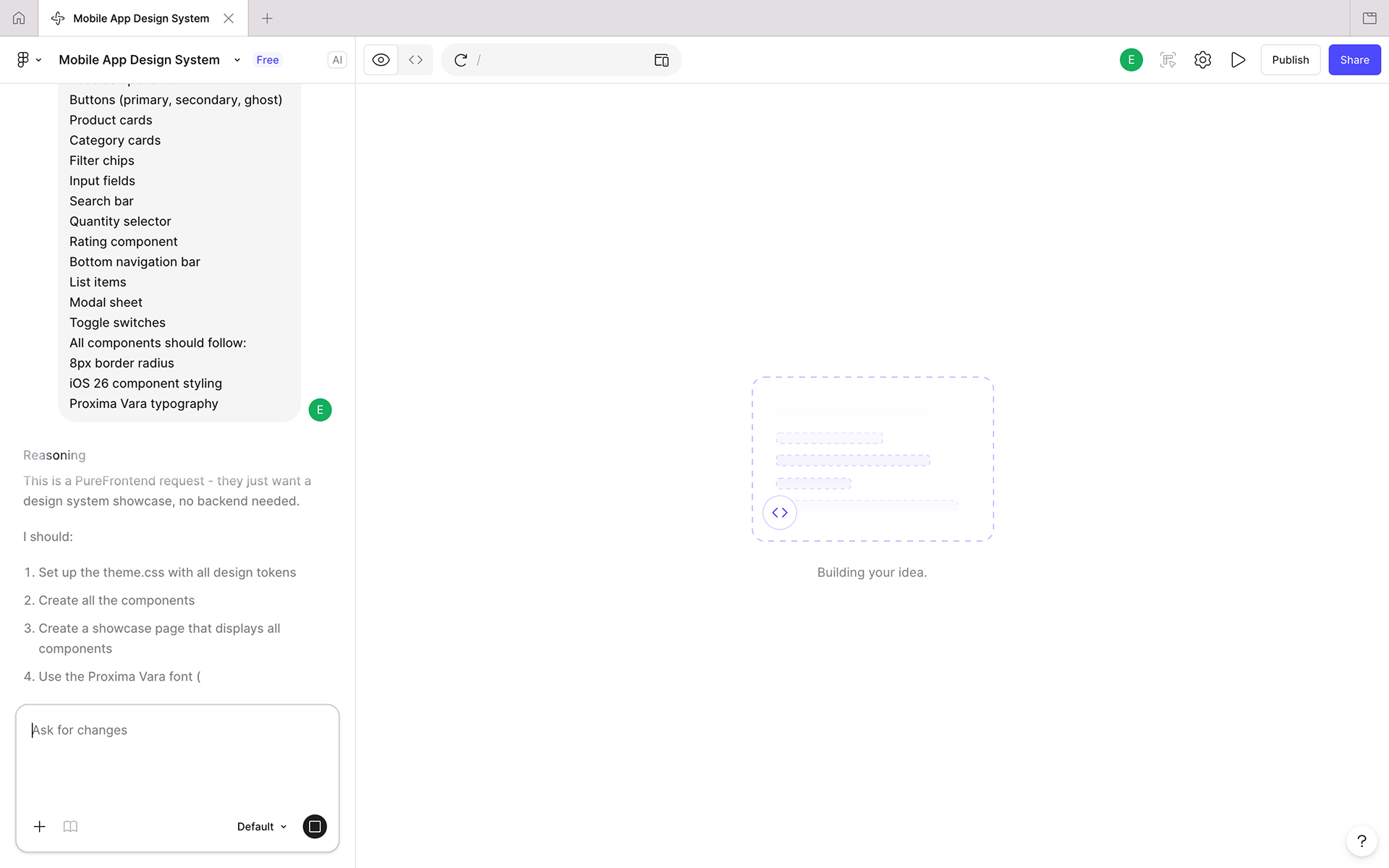
So I followed the suggestion. Instead of writing one giant instruction, I started prompting Figma Make step by step. First, I defined the design system. Then I asked it to generate UI components. After that, I prompted it to create product cards, catalog listings, and product detail screens.
Prompt by prompt, the interface slowly took shape. And honestly, I was impressed.
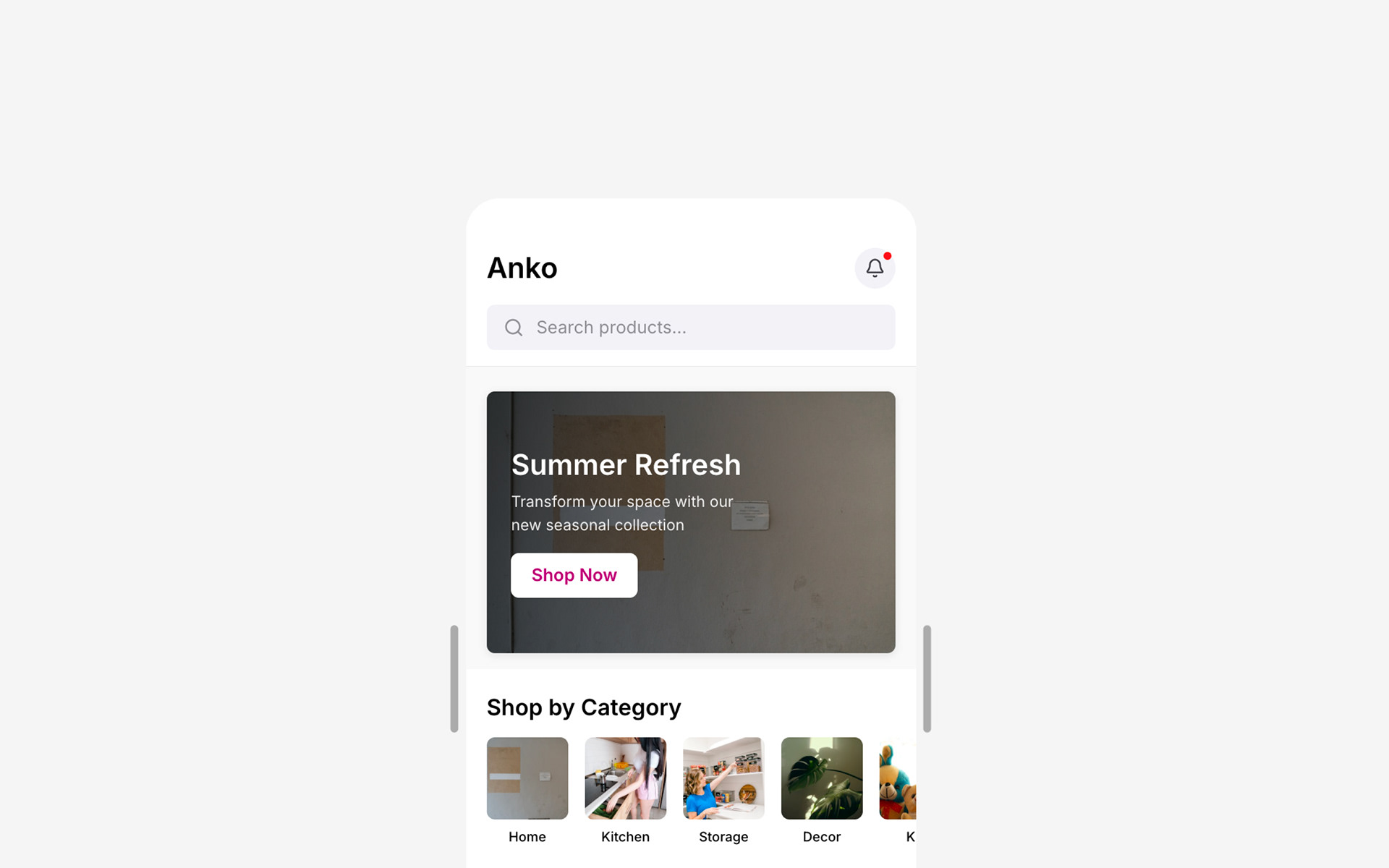
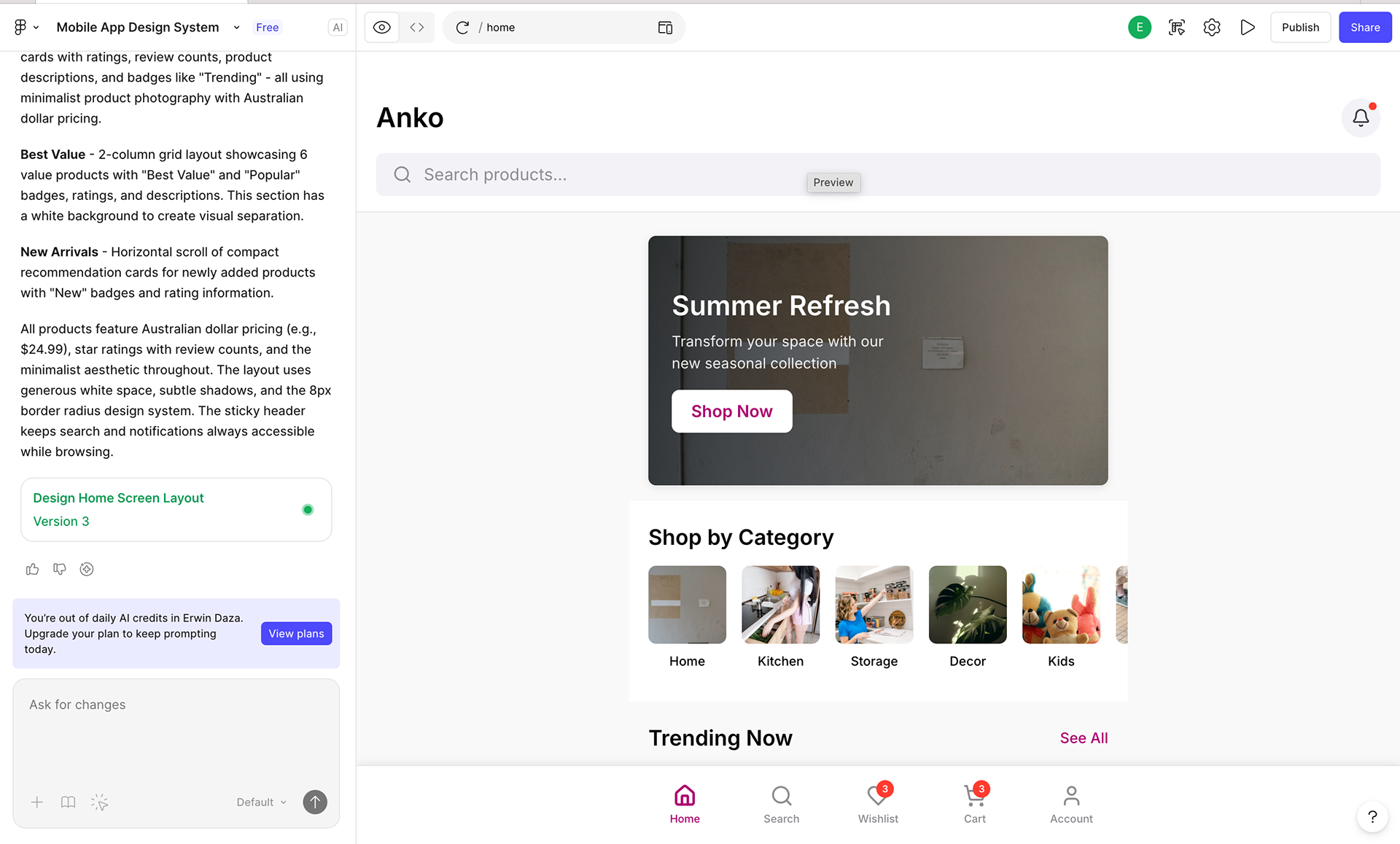
Within minutes, Figma Make generated a fully interactive prototype. There were scrollable product lists, detailed product pages, and even working navigation between screens. I published the prototype and opened it on my phone, and suddenly I was browsing a fictional Anko mobile catalog as if it were a real app.
For someone who spent years building wireframes screen by screen, the speed felt almost surreal. But as I explored the prototype further, I noticed a few interesting things.
First, the product images were AI-generated. This immediately raised a question in my mind: if this were a real product, would I actually be allowed to use these images? The legal boundaries of AI-generated assets are still evolving, and it reminded me that rapid prototyping also introduces new considerations.
Second—and perhaps more interestingly—the design felt a little too perfect. The layout was clean, the spacing was balanced, and everything followed modern mobile conventions. But something about it felt slightly generic.
It looked like an app that could belong to almost any retail brand. The structure worked. The usability worked. But the personality wasn’t quite there yet.
Was AI actually designing—or was it simply assembling patterns it had seen before?
Reflection
That moment became the most interesting part of the experiment.
What I realized was that AI didn’t replace my role in the design process—it accelerated the starting point. Instead of spending hours setting up grids, placeholder components, and mock content, I was able to jump straight into evaluating the experience.
The part where design thinking truly happens.
The part where we ask deeper questions: Does this reflect the brand? Does the experience feel memorable? Would users actually enjoy browsing this catalog?
AI gave me the skeleton of the product. But it still needed a designer to shape the personality, refine the interactions, and craft a more meaningful experience. And that’s when I began to see tools like ChatGPT and Figma Make differently. They’re not tools that replace design thinking—they’re tools that compress the early stages of design work.
Imagine starting every project with an interactive prototype already in front of you. Instead of spending days assembling layouts, you spend your time refining the experience.
Less time assembling screens. More time designing experiences.